

Skip to content

Experience · Selected product work

Proof is better thanpromises.

Selected products from our development experience. Each one is live on the App Store, so you can judge the work directly instead of taking our word for it.

Three apps, three very different problems: a photo library that has outgrown the phone, a daily routine of prayer, and the small print on food labels.

Deenly prayer times screen with the next prayer, Dhuhr, highlighted above the full day's timetable.
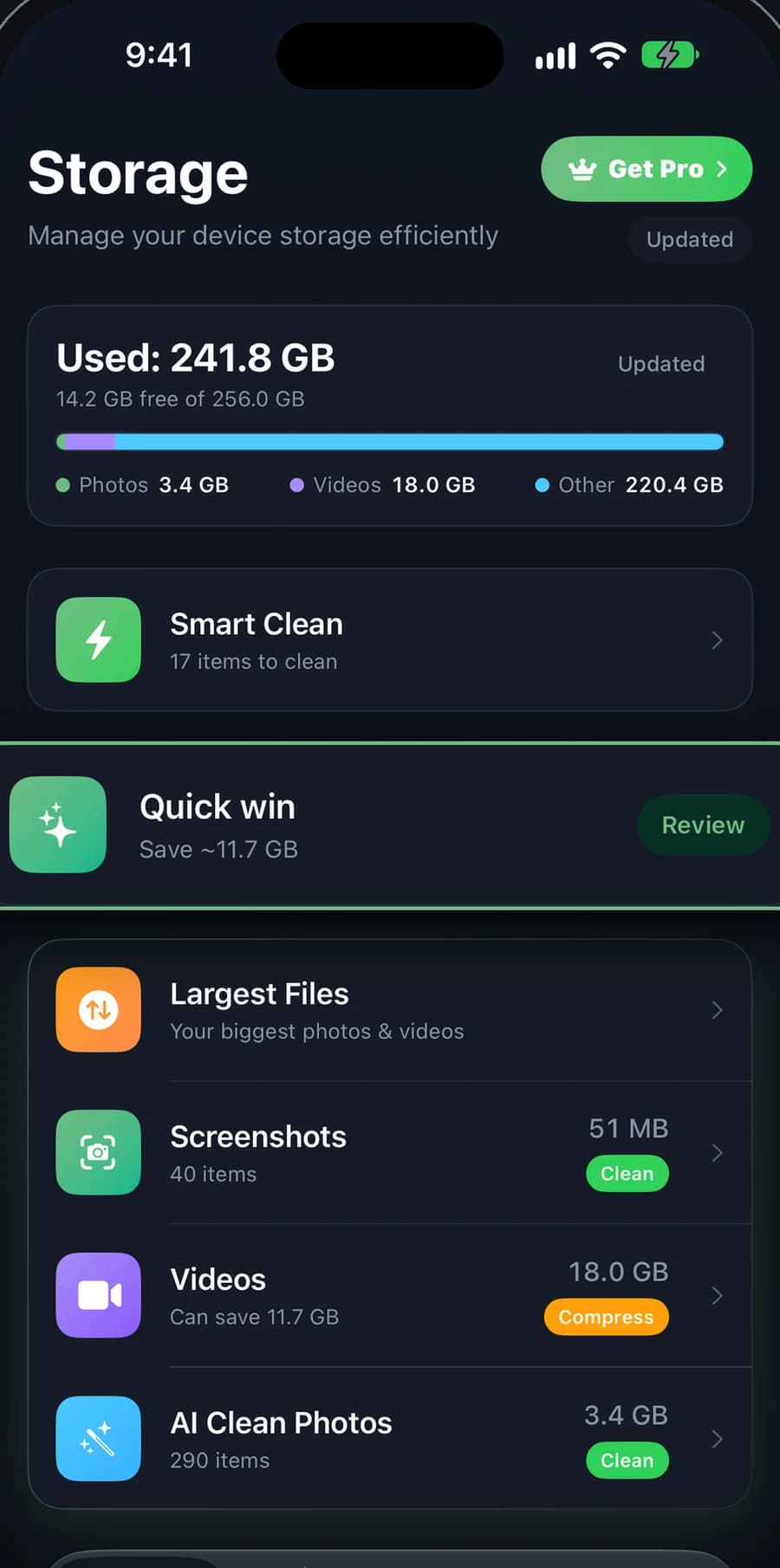
Clean Kit storage dashboard showing used space, a Smart Clean shortcut, and cleanup categories for screenshots, videos and photos.
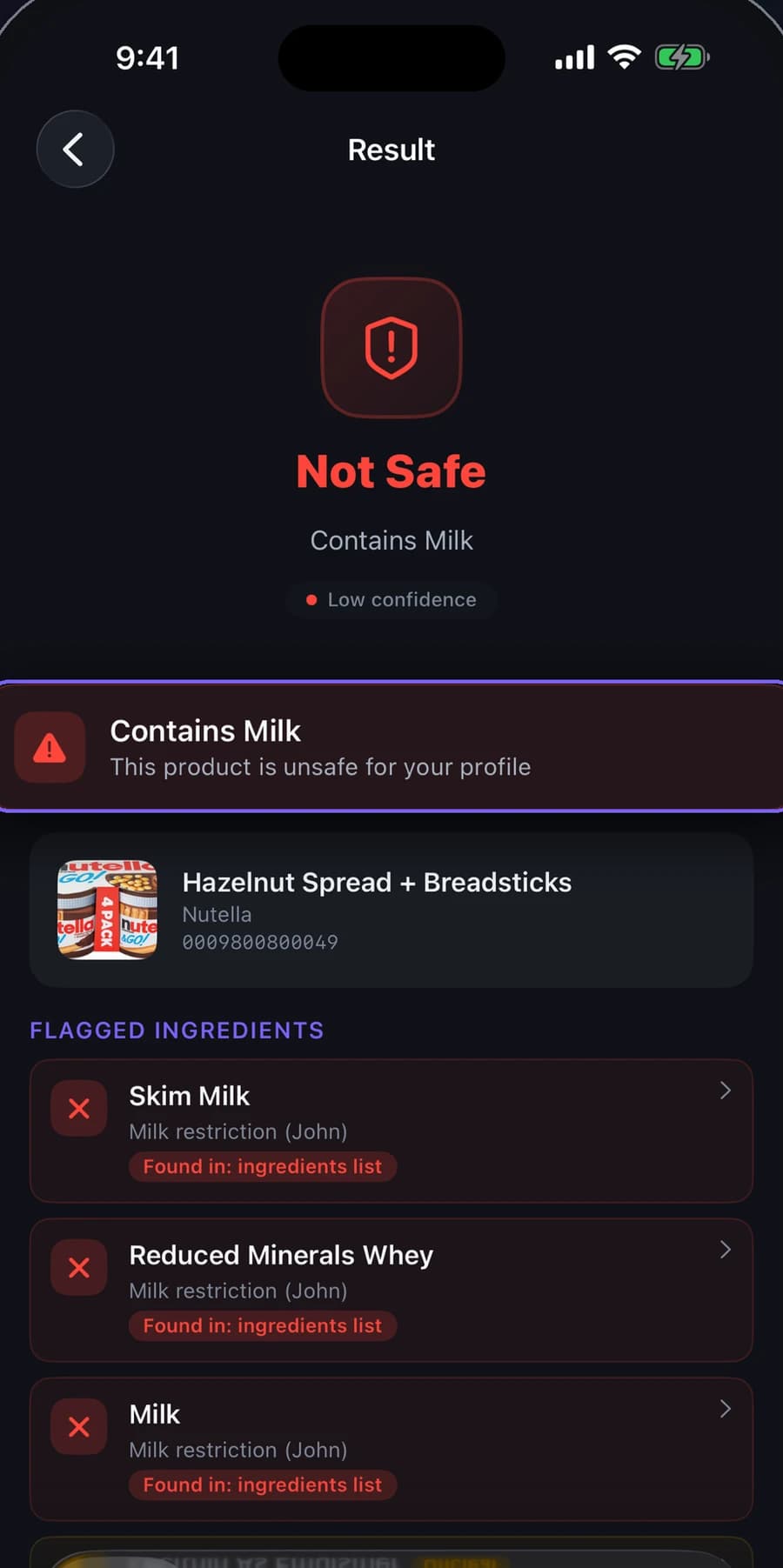
SafeScan result marking a hazelnut spread Not Safe because it contains milk, with each flagged ingredient listed.

Featured · On-device AI · iOS

Clean Kit app icon

Clean Kit

Phones run out of space long before people run out of photos worth keeping. Clean Kit finds the near-duplicates, blurry shots, old screenshots and oversized videos, keeps the best photo in every similar set, and clears the rest in one tap. All of the analysis happens on the phone, even offline.

Clean Kit storage dashboard showing used space, a Smart Clean shortcut, and cleanup categories for screenshots, videos and photos.
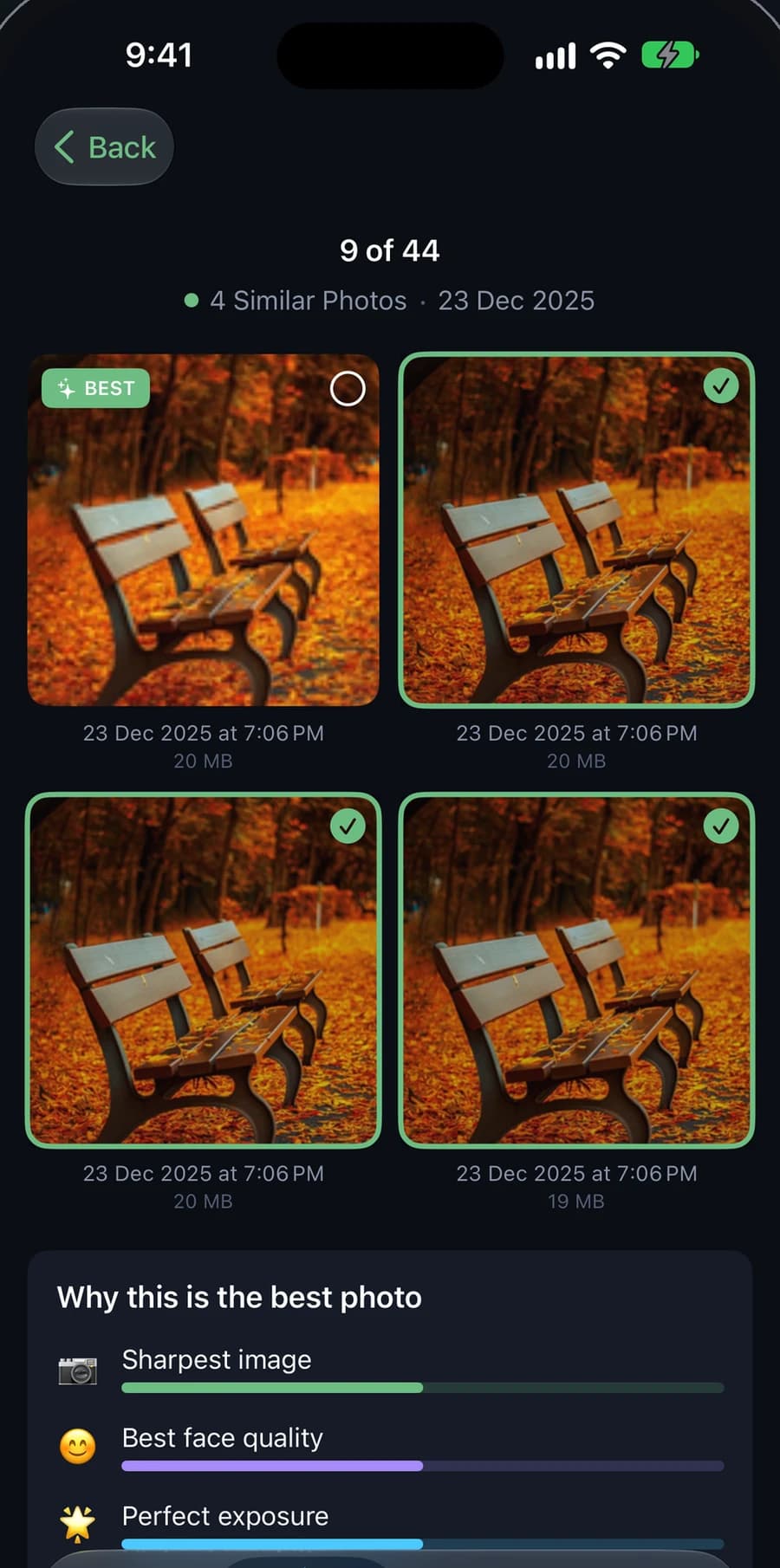
Clean Kit reviewing four similar photos of a park bench in autumn, with the best shot marked and the reasons listed: sharpest image, best face quality, perfect exposure.

One tap on the surface. Careful judgement underneath.

In every set of similar photos, each shot is compared on four qualities and the best one is kept. You see which photo was chosen and why before anything goes, and removed items wait in Recently Deleted, so nothing is lost by accident.

How it picks the keeper

  1. 01Sharpness
  2. 02Resolution
  3. 03Exposure
  4. 04Face quality
  • Duplicates and near-duplicates

    Found across the whole library and grouped, with the biggest space savings shown first.

  • Smart Clean

    Duplicates, blurry shots and screenshots older than 30 days, bundled into one recommendation you can adjust before anything is removed.

  • Photos sorted by subject

    People, Travel, Food, Pets, Documents and more, recognised on the phone so a library can be browsed and cleared by topic.

  • Smaller videos, not deleted ones

    Large videos compressed on the phone at three quality levels, so they take less space and stay in the library.

  • Live Photos and screenshots

    Live Photos converted to stills with date and location preserved. Screenshots grouped by age for clearing in bulk.

  • Made for iPhone and iPad

    Home Screen and Lock Screen widgets, Siri Shortcuts, and an interface in 15 languages, including Arabic.

What it demonstrates

AI doing useful work across an entire photo library without the photos leaving the phone. Decisions people can review before anything is deleted, because nobody clears their memories on trust. And the finishing details, from widgets to Siri Shortcuts, that make a utility feel at home on the device.

Platform
iOS · iPhone and iPad
Category
Photo & Video

Selected work

What you see is the product. What matters is how it works.

One supports a daily routine of worship. The other reads the small print on food. Different audiences, the same standard of engineering.

Quran · Prayer · Dhikr · iOS

Deenly app icon

Deenly

Prayer times, the full Quran, daily dhikr, the Qibla and nearby mosques, brought together in one calm app. Deenly is built around restraint: everything someone reaches for between Fajr and Isha, with no adverts, accounts or tracking in the way.
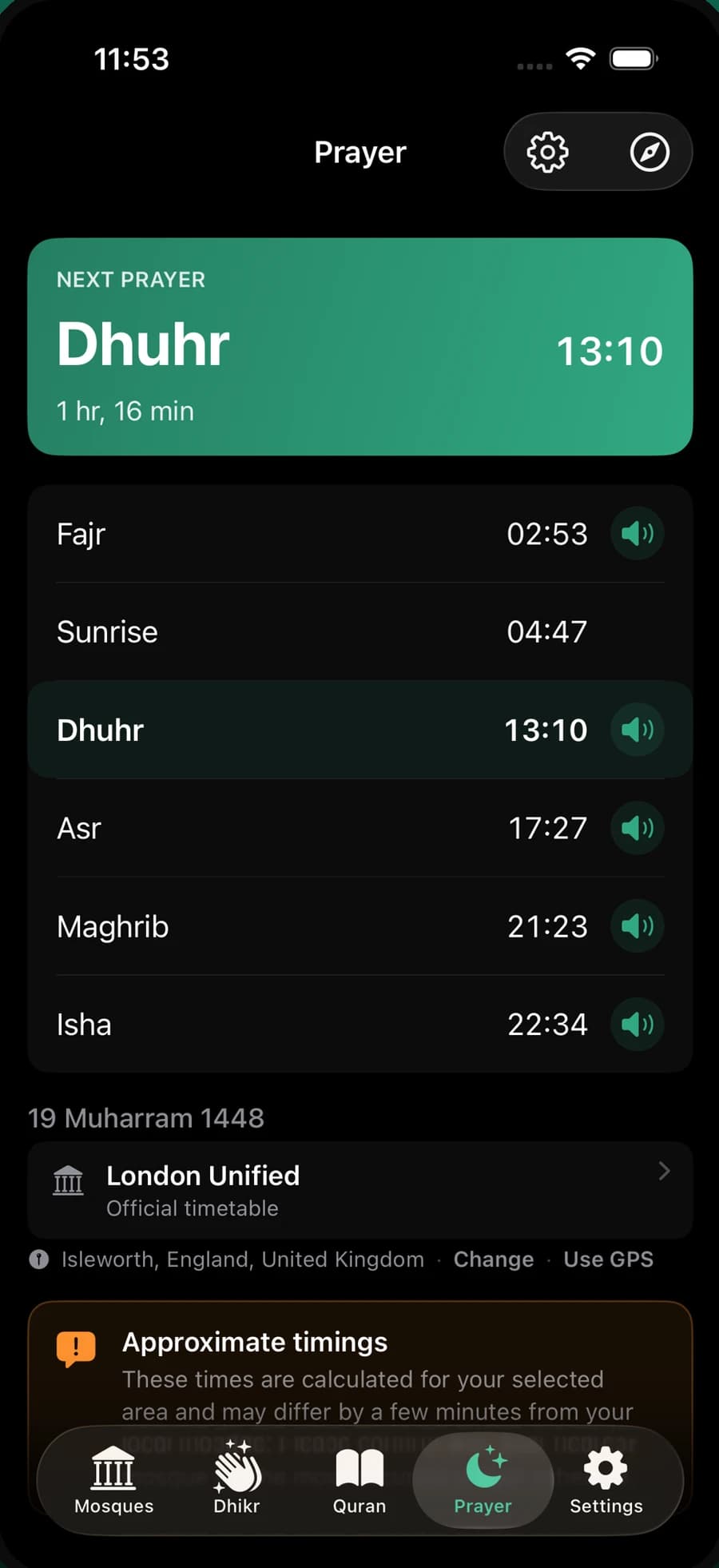
  • Deenly prayer times screen with the next prayer, Dhuhr, highlighted above the full day's timetable.
    01Prayer times
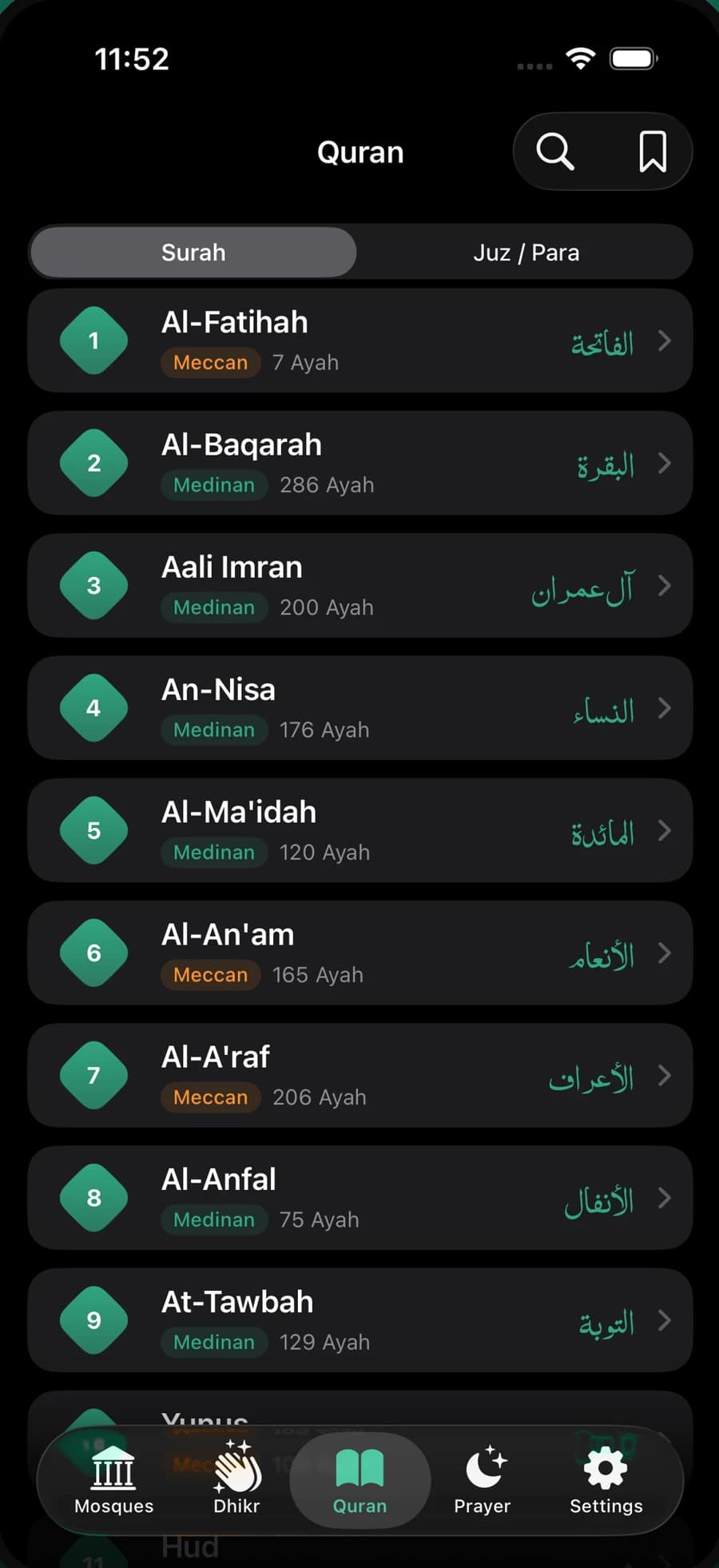
  • Deenly Quran index listing surahs with their English and Arabic names and ayah counts.
    02The Quran
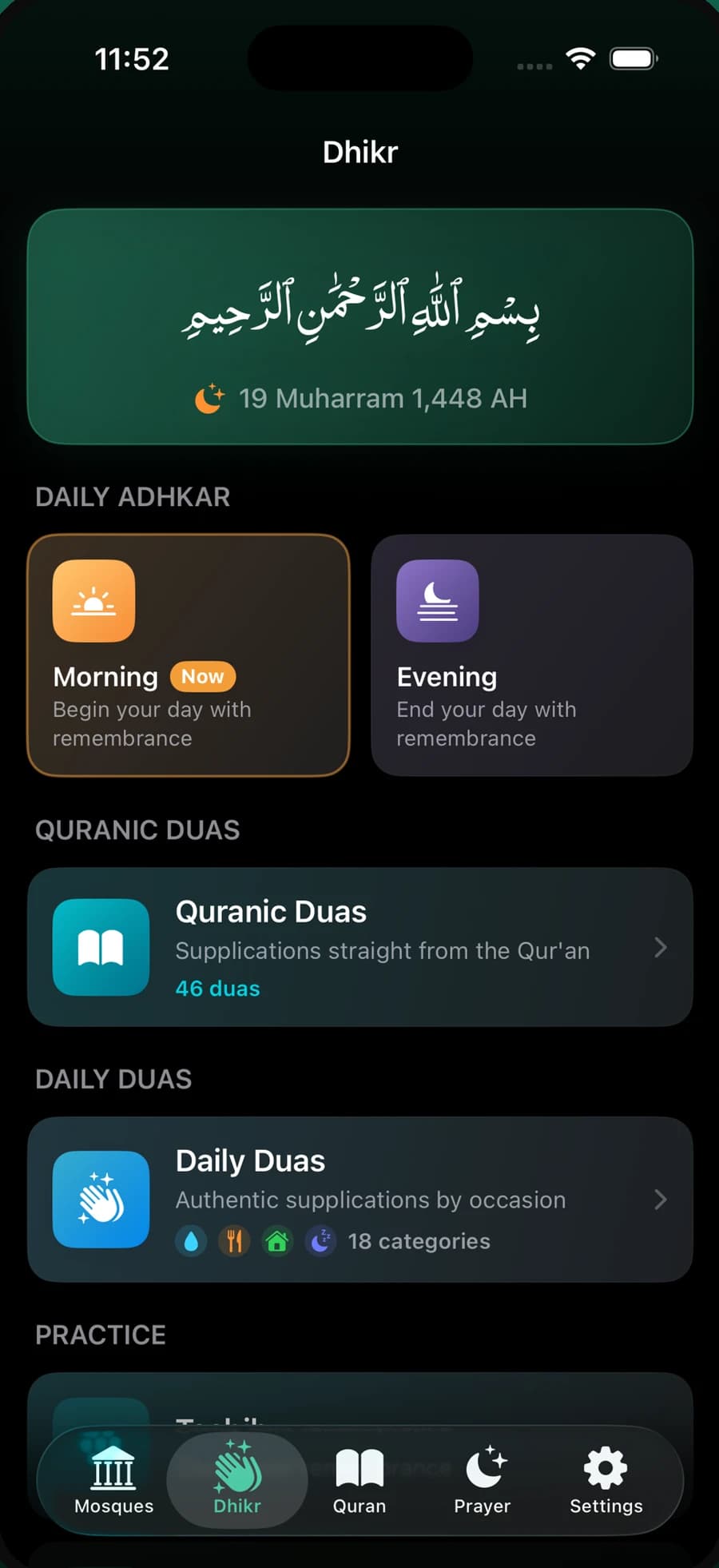
  • Deenly dhikr screen with the Bismillah, morning and evening adhkar, Quranic duas and daily duas.
    03Dhikr and duas
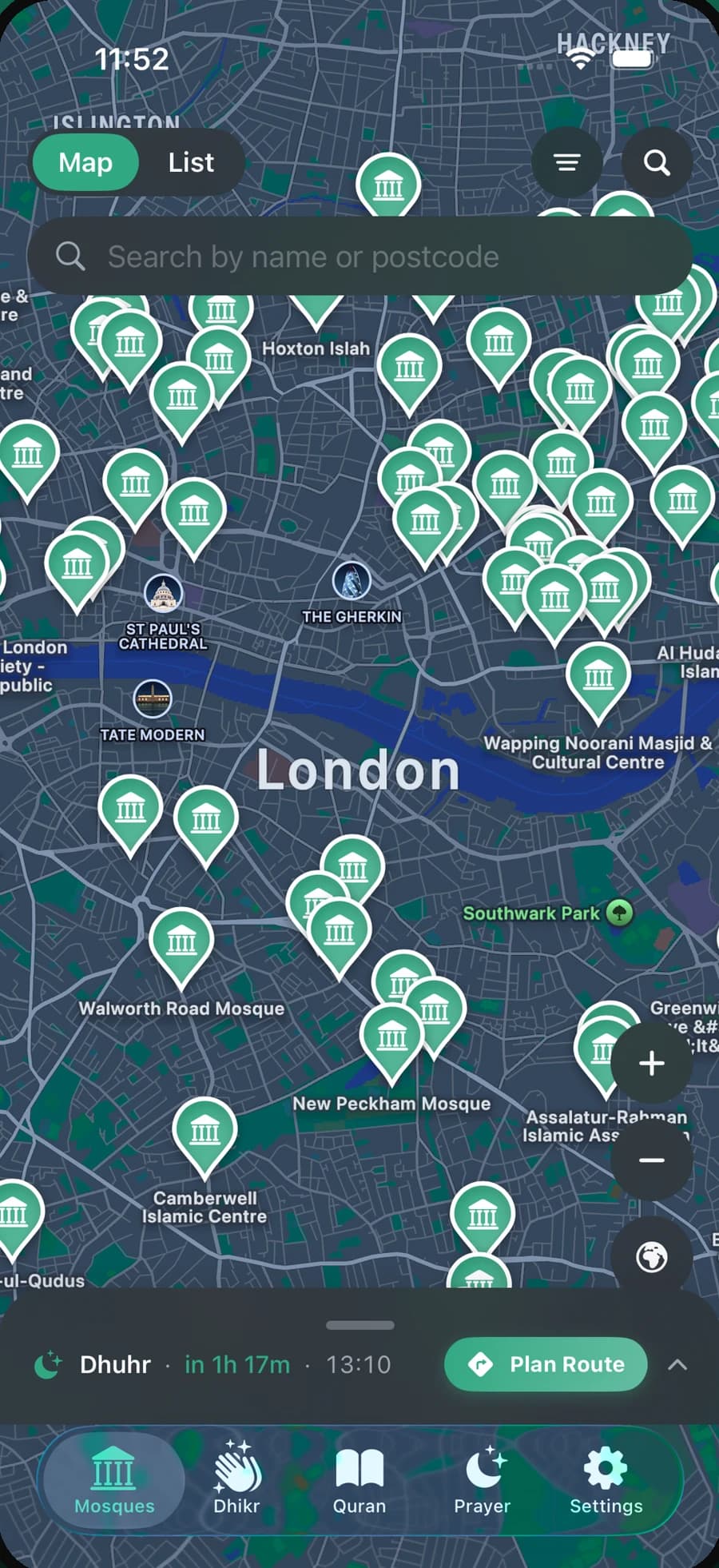
  • Deenly mosque finder showing mosques across a map of London, with search by name or postcode.
    04Mosque finder
  • Prayer times

    Calculated for your exact location with the method matched to your country, plus a live countdown on the Lock Screen and in the Dynamic Island.

  • The Quran

    All 114 surahs by surah or juz, in Uthmani or Indo-Pak script, with recitation you can download for offline listening.

  • Dhikr and duas

    Morning, evening and bedtime adhkar, Quranic and Prophetic supplications, and a built-in tasbih counter.

  • Qibla and mosques

    A Qibla compass, a Hijri calendar, and a mosque map searchable by name or postcode that the community can add to.

What it demonstrates

Features that adapt to where someone is, Arabic script presented with care, recitation and content that work offline, and information placed where people actually glance: widgets, the Lock Screen and the Dynamic Island.

Platform
iOS · iPhone and iPad
Category
Reference

Ingredients · Allergies · Diets · iOS

SafeScan app icon

SafeScan

For anyone managing allergies or dietary rules, every shop means reading small print. SafeScan reads it for them: scan a product, and its ingredients are checked against a personal profile to give a clear verdict, Safe, Caution, Unsafe or Review, with the reason attached.

  1. 01

    Scan

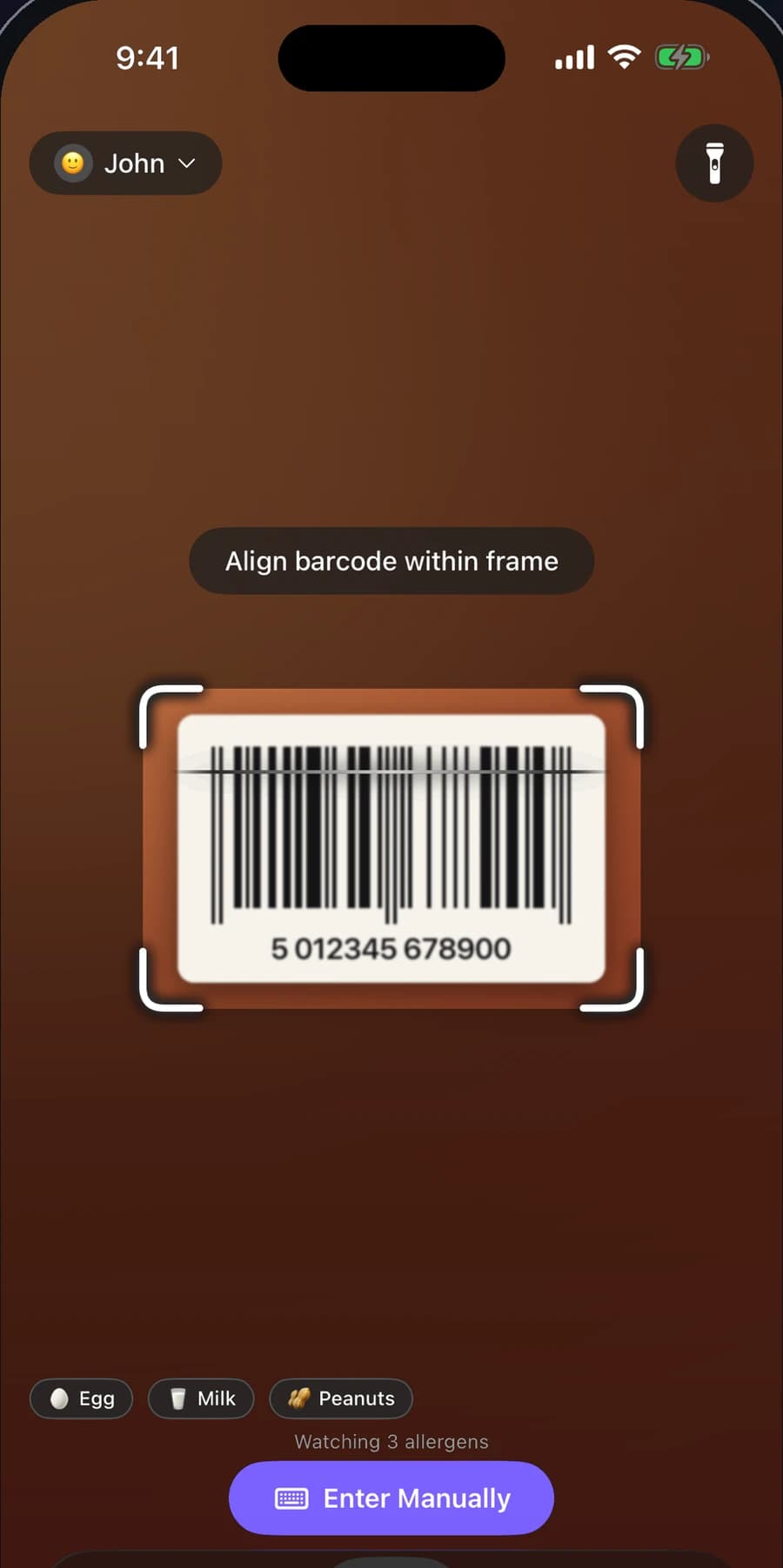
    Scan a barcode, photograph the ingredients label when there is no barcode, or type the list in. Label photos are read automatically, including “may contain” warnings and facility statements.

    SafeScan camera view aligning a product barcode inside the scanning frame, with the active profile's allergens shown below.
  2. 02

    Understand

    Ingredients are checked against more than 1,000 alternative names, so whey powder is recognised as milk and scientific names do not slip through. Every flag shows what matched and where it appeared.

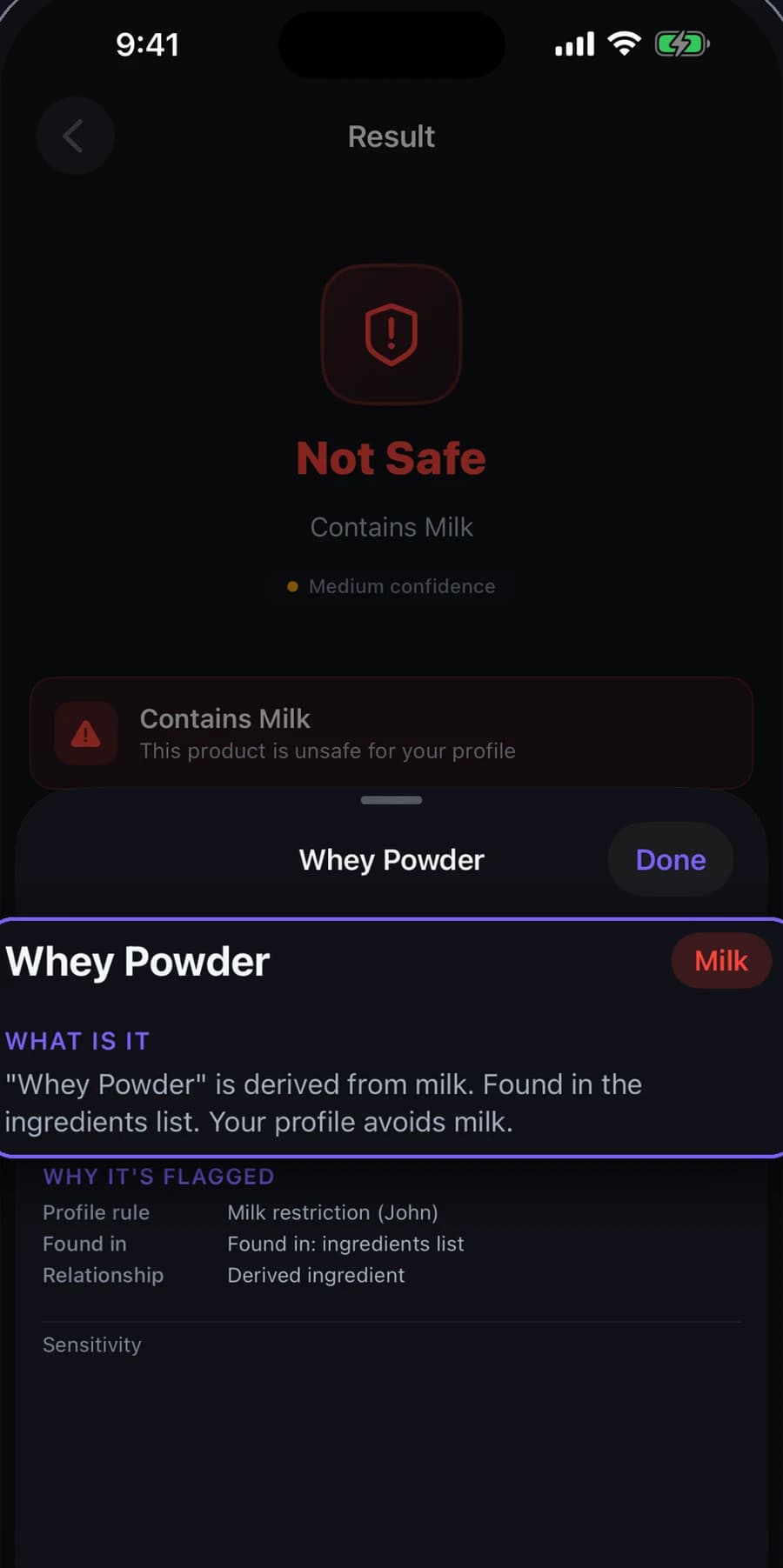
    SafeScan explaining a flagged ingredient: whey powder is derived from milk, found in the ingredients list, and the profile avoids milk.
  3. 03

    Decide

    The verdict follows the profile and its sensitivity: confirmed ingredients only, advisory warnings included, or strict. A family can keep a profile each and check one product for everyone.

    SafeScan result marking a hazelnut spread Not Safe because it contains milk, with each flagged ingredient listed.
Major allergens
9
Extended allergens
11
Diets, including Halal
6

A verdict is only as good as the product data and label behind it, which is why every flag shows its reasoning and every verdict carries a confidence level. SafeScan supports a decision. It is not medical advice.

What it demonstrates

Turning a camera image and a dense ingredients list into a decision someone can act on in the aisle, with reasoning they can check and profiles for the whole family that keep working offline.

Platform
iOS · iPhone and iPad
Category
Food & Drink
What carries over

Beyond the interface is the engineering that makes it useful.

Three different products. The same engineering habits underneath, and the same ones we bring to software for businesses.

  1. 01

    Intelligence where the data lives

    Clean Kit sorts, compares and recommends across an entire photo library without the photos leaving the phone, and keeps working offline. Deciding where intelligence should run, and which data it never needs to touch, matters just as much inside a business.

    Seen in

  2. 02

    Answers people can act on

    Clean Kit shows which photo it kept and why before anything is deleted. SafeScan gives a clear verdict and names the ingredient behind every flag. When people can see the reason, they can act on the result.

    Seen in

  3. 03

    Complexity in. Clarity out.

    SafeScan turns a dense ingredients label into a simple verdict. Deenly turns a location into the day's prayer times. Good software absorbs the complicated part, so the person using it does not have to.

    Seen in

  4. 04

    Built beyond the first impression

    Offline access, Arabic and multilingual interfaces, widgets, Lock Screen updates and no sign-up to get started. Details like these rarely appear in a demo, yet they decide whether software becomes part of someone's day.

    Seen in

If your team needs this kind of engineering inside its own workflows, start with custom AI applications built around your data, AI agents that act through the tools you already use, or managed AI support to keep them dependable after launch.

Bring us the problem. We will bring the proof.

Describe the workflow, the data behind it and where it currently breaks. We will come back with how we would build it, what it would take to run, and anything we would advise against.